Piso WiFi Pause Time freezes your active session so you can pick it up later. You don't lose the time or credits you already paid for. Pause, disconnect, come back - your balance is still there.
Learn more about Piso WiFi and how the entire system works.
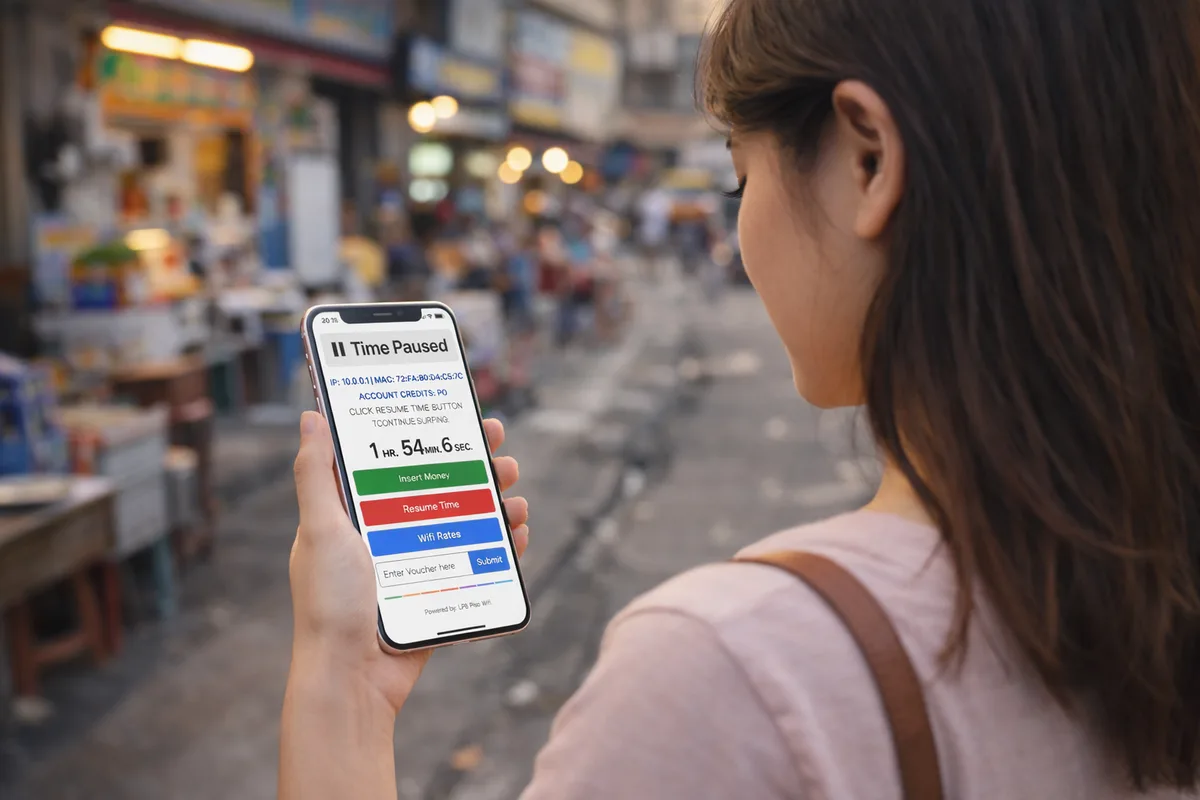
To pause, open your browser while connected to the Piso WiFi network and go to `http://10.0.0.0.1` or `http://10.0.0.1`. Look for a Pause or Pause Time button on the portal page. You don't need to log in as admin.
How Piso WiFi Pause Time Works
When you load credits into a Piso WiFi machine, the timer starts as soon as your session begins. Pause Time interrupts that timer. The machine stores your remaining balance and waits for you to come back.
Two things control pause behavior:
- Maximum pause duration - set by the operator in the admin panel. Common limits are 30 minutes, 1 hour or 2 hours.
- Session validity - how long an inactive session is kept before the machine discards it.
How to Pause Your Piso WiFi Session (Step by Step)
- Stay connected to the Piso WiFi network on your phone or laptop.
- Open Chrome, Firefox or Safari.
- Type `http://10.0.0.0.1` into the address bar. If nothing loads, try `http://10.0.0.1` instead.
- The Piso WiFi portal or admin page opens. Look for a Pause, Pause Time or Suspend Session button.
- Tap or click it. Your session is now paused and the timer stops.
- When you're ready to resume, reconnect to the Piso WiFi network and visit the same address. Your session continues from where you left off.
Setting Up Pause Time as an Operator
If you own a Piso WiFi machine and want to enable Pause Time for your customers:
- Log in to your admin panel at `http://10.0.0.0.1` (or 10.0.0.1) with your admin credentials.
- Navigate to Time Settings, Session Settings or Pause Time - the label varies by firmware.
- Turn on Pause Time and set the maximum pause duration.
- Save your changes. Customers can now pause their sessions without contacting you.
When Pause Time Isn't Available
Not every Piso WiFi machine supports Pause Time. Three common reasons:
- Operator turned it off - it's only accessible when the operator enables it in settings.
- Old firmware - some early Piso WiFi firmware versions don't have this feature. The operator needs to update.
- Different machine brand - smaller brands may use custom software that doesn't include a pause function.